
Keying in on a Keyboard
Intro
This is a topic I have encountered lately when switching between and shopping for keyboards. I decided I should make a post sharing my thoughts before others go down a money pit like I did!
The average person doesn't spend too much time concerning themselves with peripherals to a computer other than the monitor. Having a high resolution, saturated, and crisp image is the main priority when after considering the hardware performance of a desktop or laptop. However, to the more tech-enthusiast crowd, we value the tactile feedback of our devices and that includes the quality of our keyboards and mice.
Different Types of Keyboards
"Normal" Keyboards
Normal keyboards consist of just about any keyboard that comes with a computer or laptop at the time of sale. It also includes very basic and relatively affordable keyboards, like my Logitech MK270 that came with a wireless mouse. Or a normal keyboard can be a keyboard on a 2017 MacBook Pro (which were unanimously classified as a disaster from Apple). A normal keyboard is just about any keyboard that someone would own or use to get the job done.
Mechanical Keyboards
Mechanical keyboards have a wide range from complex, to simple, to cheap, to expensive, prebuilt, or custom built and everything in between. Mechanical keyboards use a physical mechanical and metallic switch under each key to give it a more firm, tactile, and responsive feel. These are among the most popular keyboards amongst computer enthusiasts and are very common in the gaming space.
Ergonomic Keyboards
Ergonomic keyboards are a category of keyboard that I have only recently begun to explore. In this category I am specifically referring to keyboards that are split in half and where the distribution of the keys is better positioned for the average lengths of a person's fingers.
My Take
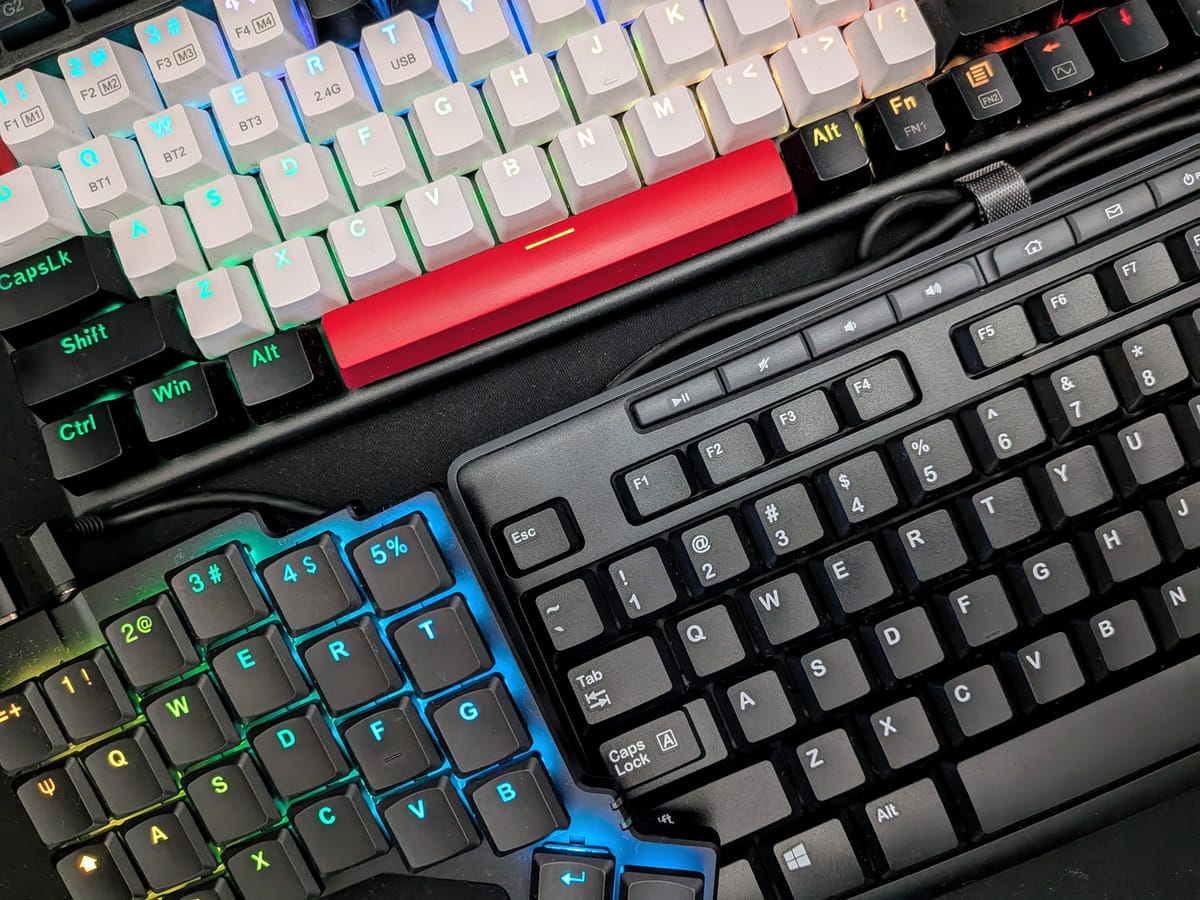
Being a technology enthusiast, software engineer, and gamer I have found that peripherals play a large role in the experience when using a laptop or desktop. I have purchased many keyboards but rather than boring you with the long list I have heavily used 3 keyboards over the past several years, my 65% Redragon Mechanical Cherry Red Switch, ZSA Voyager, and a random $30 wireless Logitech keyboard that came with a mouse (the three keyboards in the header photo).
Out of all the keyboards that I have tried I preferred my "non-clicky", cheap, and large Logitech MK270 keyboard. It contains all the keys you need unlike a 65% keyboard or the ZSA Voyager both of which I had used extensively but always found myself doing intricate combinations to generate an input that is just a simple button a full-size keyboard.